
Export formats
Export AI Chats to TXT & JSON
Save AI chats as plain text (TXT) or structured data (JSON) — archive conversations or automate with exported data.
Beyond documents, AI Chat Snapper can export your chats as plain text or structured data.
TXT - plain text
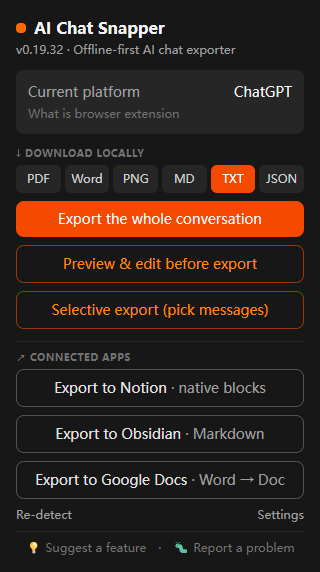
- Open the conversation, click the extension, and choose TXT.
- Save the
.txtfile.
JSON - structured data
Choose JSON when you want the conversation as structured data - for feeding into scripts, building a prompt library, or processing chats programmatically.
- Open the conversation, click the extension, and choose JSON.
- Save the
.jsonfile.
The JSON keeps messages as discrete, machine-readable entries, so you can parse who said what and in what order.
Which should you use?
- TXT - human-readable plain text, for archiving and quick reuse.
- JSON - machine-readable data, for automation and tooling.
For formatted documents instead, see Export to PDF or Markdown.