
Introduction
Getting Started
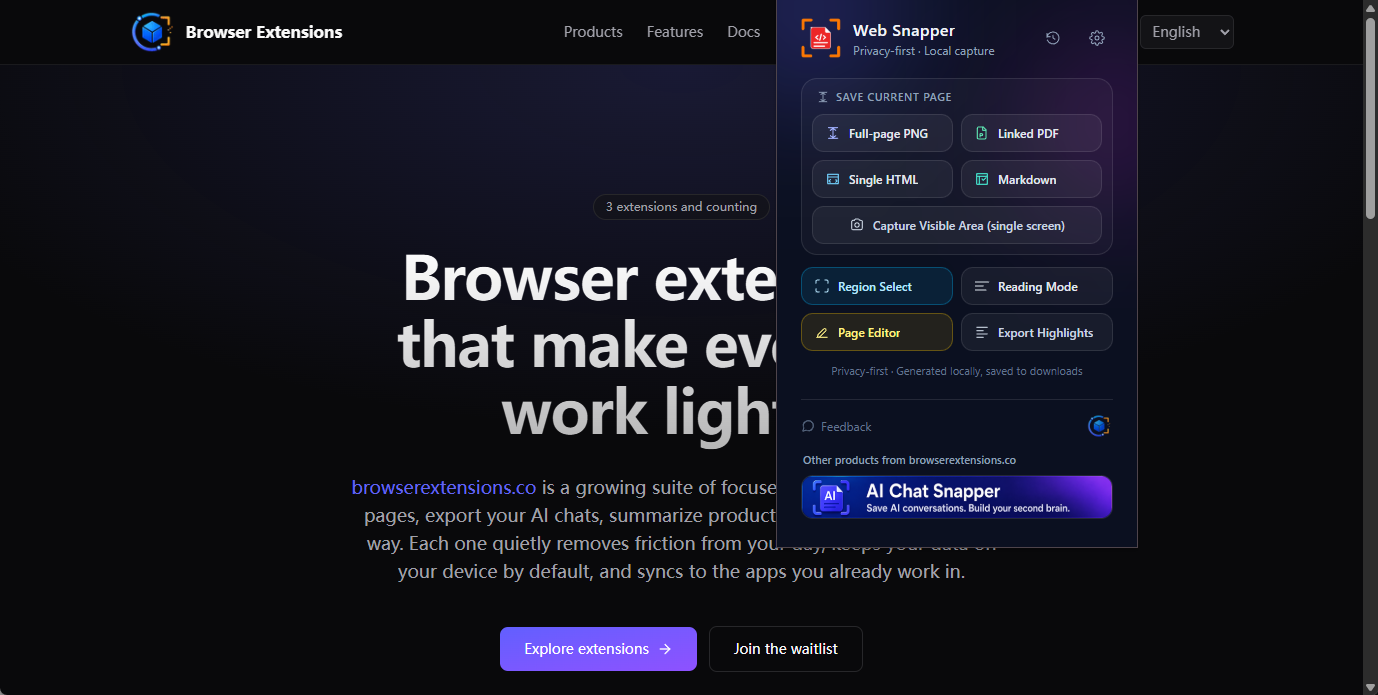
Web Snapper captures any web page as a full-page screenshot, searchable PDF, single-file HTML, or Markdown — annotate, redact, and save 100% locally.
The web is full of pages worth keeping — a research article, a receipt, a long support thread, a competitor's pricing page. But a bookmark breaks when the page changes, and a quick screenshot rarely captures the whole thing.
Web Snapper turns any page into the format you actually need — a pixel-perfect screenshot, a searchable PDF, a self-contained HTML file, or clean Markdown — and lets you highlight, annotate, and redact right on the page before you save. Everything runs locally in your browser. No account, no cloud, no tracking.
It's built for researchers, lawyers, analysts, and anyone who needs a faithful, private copy of the web.
What Web Snapper does
A few capabilities cover almost everything you'll want to do.
- Capture modes — grab a full-page screenshot of a long, scrolling page in one shot, drag to select a region, take a quick visible-area shot, or use inner-scroll capture for app panels and threads where the page body itself doesn't scroll.
- Export formats — save as a searchable PDF (text stays selectable in any language, links stay clickable), a single-file HTML snapshot with images and styles inlined, clean Markdown for Obsidian or Notion, or a PNG image.
- Annotate and redact — an on-page editor lets you highlight, add notes, draw with pens, arrows, and boxes, and black out or remove anything private. Redacted text is truly removed, not just blurred — so nothing leaks into the export.
- Local history — every capture is indexed on your device with a thumbnail and full-text search, so you can find anything you've saved instantly.
Private by design
Web Snapper does all of its work — screenshots, packaging, PDF generation, and redaction — on your device. Nothing is uploaded, there's no analytics or tracking, and there's no account to create. It only touches a page when you click its icon, so it never quietly reads your data in the background.
You can read the full details on the privacy page.
What's next
- Add Web Snapper to your browser in Install the Extension.
- Save your first page in First Capture.
- Learn more on the Web Snapper product page.